
Why won’t the app download?
If the app is unavailable in your App Store region, you can change your Apple Account region to Türkiye.
The illustrations are in Russian. Personal details have been replaced and labels translated as examples. Labels may differ in your iOS version.
Open Settings and tap your Apple Account at the top.
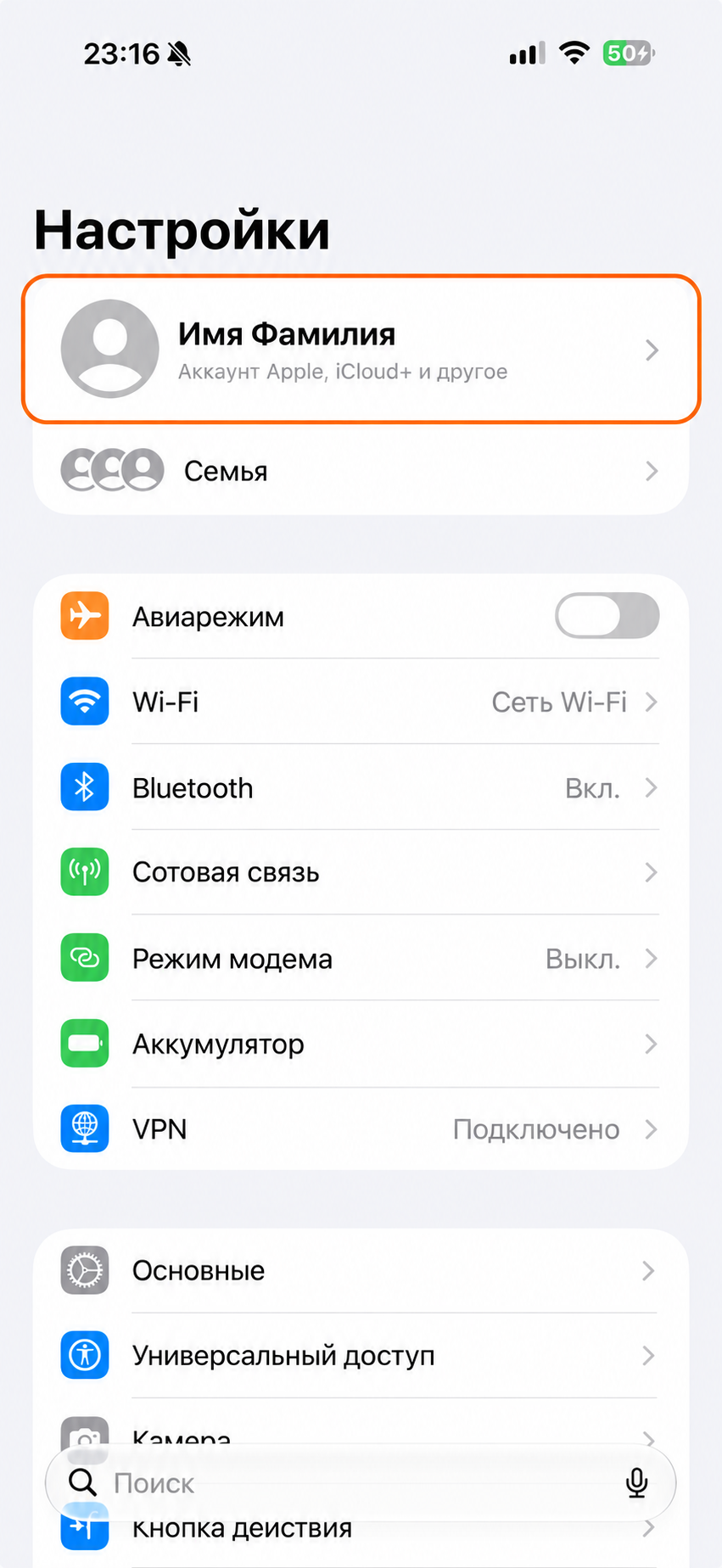
Select Media & Purchases, then View Account. Authenticate if asked.
In some iOS versions, this option has a different localized name.
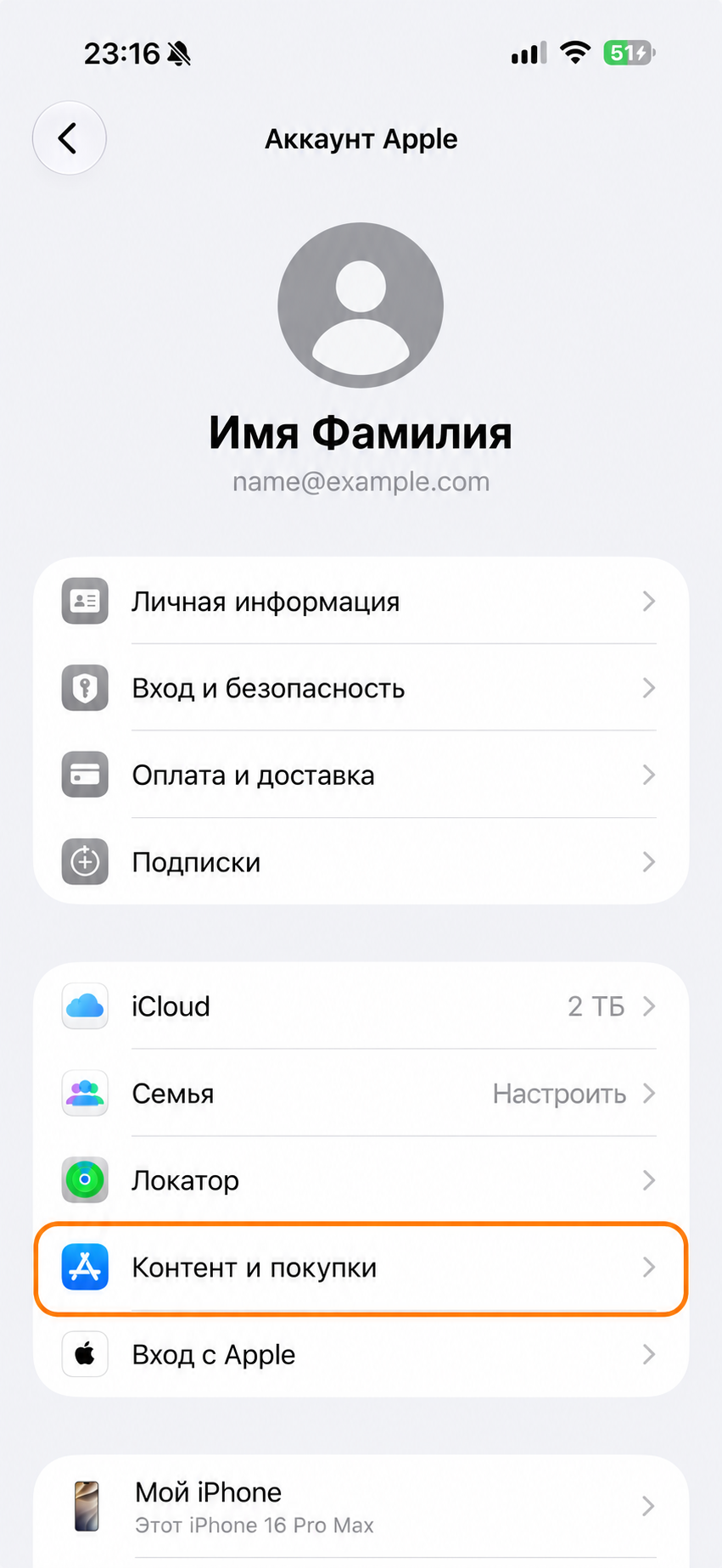
Open Country/Region, then tap Change Country or Region.
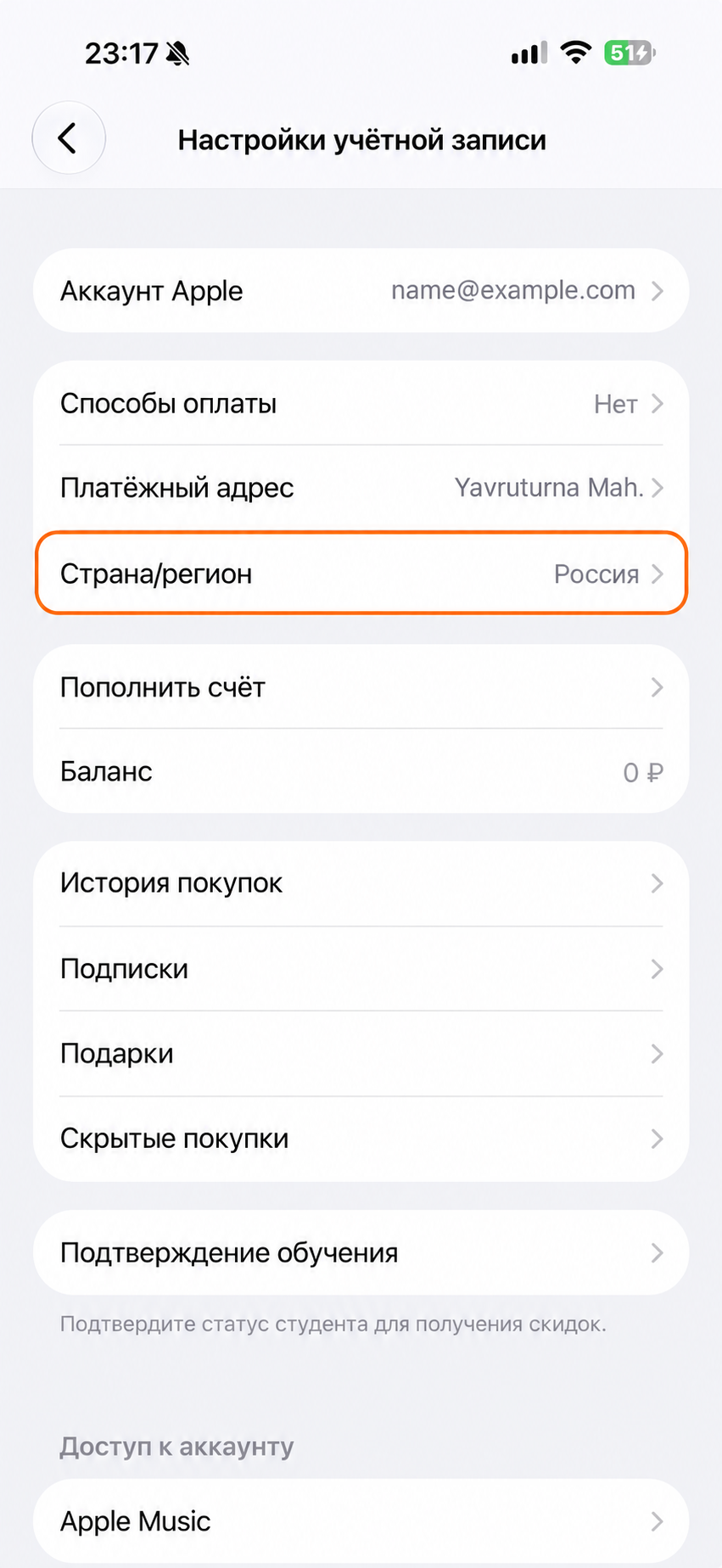
Choose Türkiye, tap Continue if prompted, and accept Apple’s terms.
Enter your billing details. Use your own first name, last name and phone number. You can copy each address value below separately.
- Name
- Enter your first name
- Last name
- Enter your last name
- Street
- Yavruturna Mah.
- Street, line 2
- Can be left blank
- Postcode
- 19901
- City
- Чорум
- Phone
- Enter your phone number
- Country/Region
- Türkiye
Choose a payment method. Select None if available. Tap Done or Next.
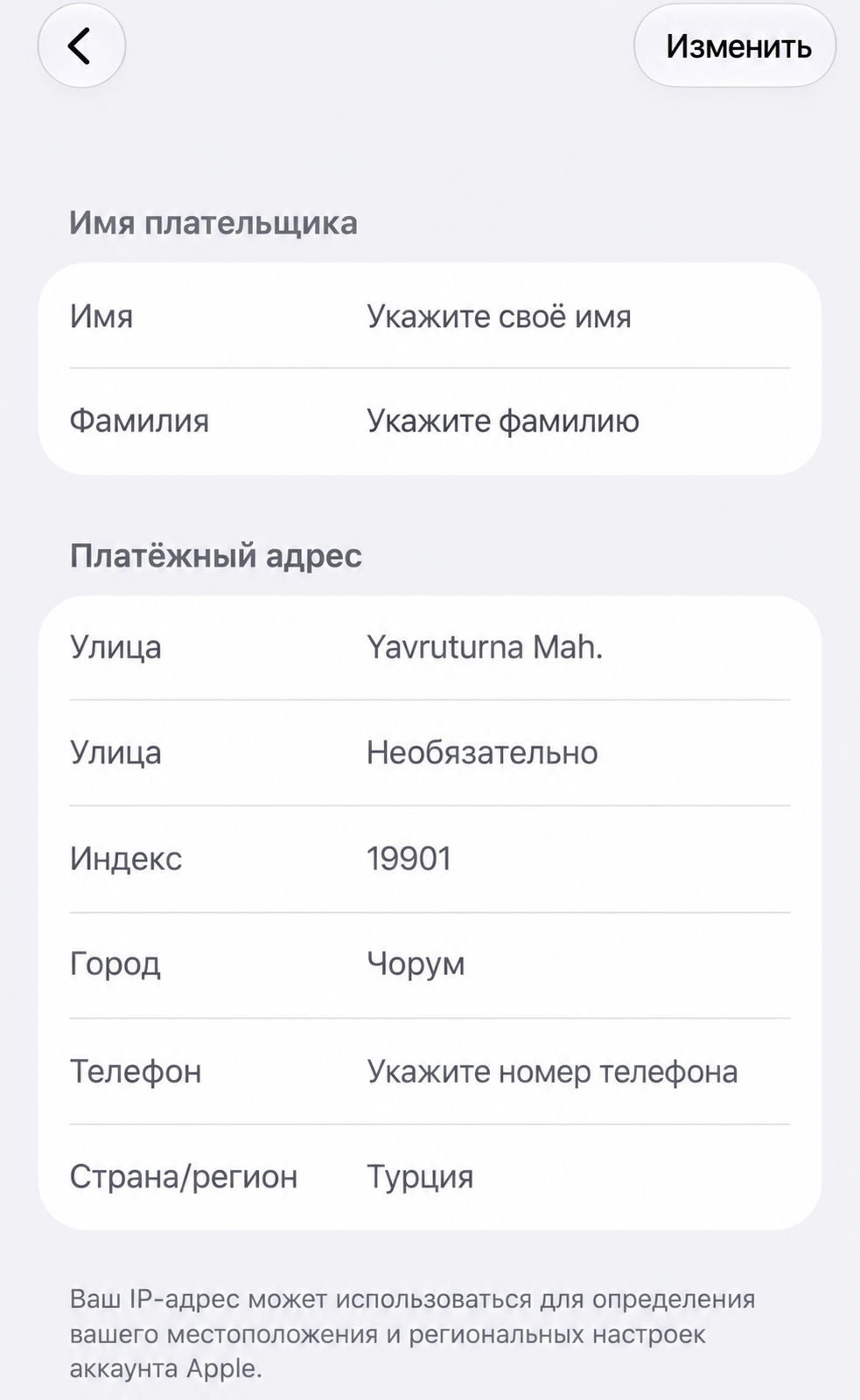
Save your changes, reopen the App Store and try downloading again.
Unable to change region? Check your account balance, subscriptions and Family Sharing. A payment method valid in Türkiye may be required.